Complete NLIS transfers in eNVD
Now available in the eNVD web portal - complete NLIS property to property transfers directly within eNVD! This integration brings NLIS and eNVD even closer together for a smoother, more efficient stock movement process. ISC is proud to deliver a seamless solution, making compliance easier by keeping everything in one system. Whether you are sending livestock off your property, or receiving them, you can add the eID device numbers directly to the eNVD consignment to complete your NLIS transfer.
Benefits of completing transfers in eNVD
Less Hassle
No more switching between eNVD and NLIS - complete your NLIS property to property transfers all in one place! This streamlined process saves time and simplifies your compliance obligations.
Clearer Insights
Get a detailed view of NLIS device numbers, with clear warnings and errors flagged upfront. Stay informed and confident before finalising your transfers.
Smoother Transfers
Senders can now include NLIS device details with consignments, giving receivers advance notice of any issues. More transparency means fewer surprises and a seamless transfer process.
Receiving Stock
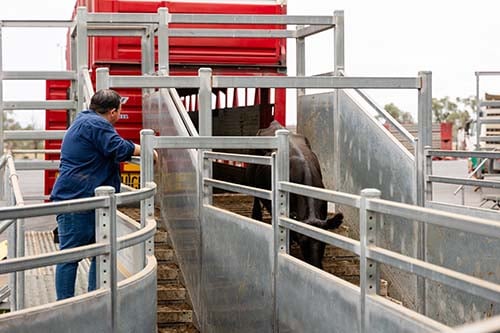
To uphold traceability and biosecurity, receivers are legally responsible for completing the NLIS transfer within 48 hours of livestock arriving on your PIC. With this new feature, you can select the incoming eNVD and upload the NLIS device (tag) details to complete the transfer all in one system. If the sender has already uploaded the NLIS devices to the consignment, you can simply review and accept the movement in eNVD, making the process even faster and easier!
Sending Stock
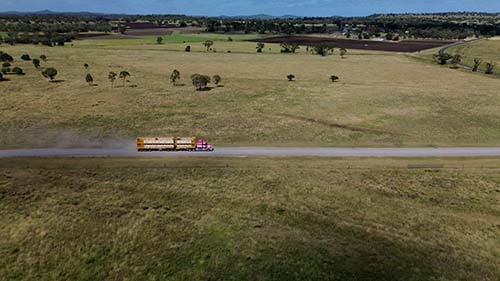
As the sender, you now have the option to upload NLIS device (tag) details for outgoing livestock directly into your eNVD. Once the NLIS devices have been uploaded and the eNVD submitted, the receiver can view the details of the incoming livestock’s devices via their eNVD account before the animals even arrive! This added transparency helps the receiver prepare in advance, ensuring a smoother transfer process with fewer surprises.
Uploading NLIS Device Details
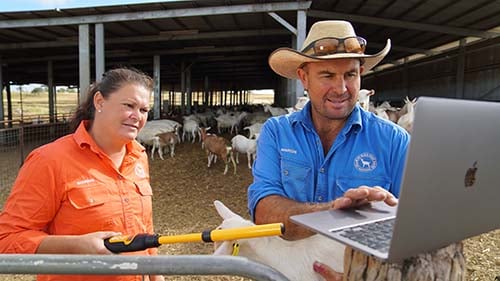
To complete an NLIS transfer in eNVD, you'll need to upload the livestock's NLISID (visual tag number) or RFID numbers, which are captured when you scan the devices using an eID reader. You can enter these details manually by typing them in or by uploading a file for a faster process. The device details will be validated, allowing you to correct any errors. For example, if a device has previously been marked as deceased, you can easily delete this device from the list before submitting the consignment. For step-by-step instructions, check out the guide below.
Frequently Asked Questions
No, the NLIS transfer is not complete just by adding device details to the eNVD. The NLIS transfer must be completed by the person receiving the livestock, and this can be done via the eNVD web application.
As the sender of livestock, adding the NLIS device details to the eNVD gives the receiver a head start. It pre-fills the information they need and makes the transfer process faster and easier for them.
It is the receivers of the livestock's responsibility to transfer NLIS device details onto their property within 48 hours of receiving the livestock.
You will need to have the NLIS account for your PIC number linked to your myMLA account. If you haven’t done this yet, follow our step-by-step guide: how to create a new my mla account link isc accounts
- New: The sender can add devices to their consignment draft.
- Start: Devices can be added to start the NLIS movement process.
- Review: Tags are included and can be reviewed, but they cannot be moved until the movement date begins.
- Ready: Device tags have been added and are prepared for submission. You can now move them to your PIC
- Pending: The transfer is awaiting confirmation from NLIS—sit back and relax!
- Moved: The transfer has been successfully completed.
- Closed: The deadline to move the devices via eNVD has passed. Your only option now is to log into the NLIS system and move them manually, as usual.
Issues with devices in the file upload are shown as warnings in yellow. Examples of warnings include a device being listed as deceased, marked as inactive, or the wrong species is uploaded. It is recommended these are edited before completing the NLIS movement.
The red cross indicates a device with an error which cannot be transferred. For example, the file uploaded here included a heading, which displays an error. This row can be deleted by selecting ‘Delete’ from the dropdown menu.
Not yet. This feature is currently only available on the eNVD web system. It is planned to have this added to the eNVD mobile application in the future.
A warning message will appear on screen if there is a mismatch between the number of NLIS devices provided and the head count provided. Please ensure this is corrected before submitting the NLIS devices.
If you have received a consignment with the incorrect head count and/or number of NLIS devices, you will need to contact the vendor so they can amend the livestock details. Please ensure you submit the correct transfer details for NLIS.